Free AI photo editing: what the free tiers give you and what they keep
A practical look at what free AI photo editors give you and what they hold back, from export limits to on-device versus cloud processing.
A practical look at what free AI photo editors give you and what they hold back, from export limits to on-device versus cloud processing.
A spec sheet for a free AI photo editor lists the export size last, after the filter names and the one-tap sky replacement. Read that line first. It tells you what the app is actually selling, and it is rarely the edit.
You can learn how to AI edit photos for free in about four minutes. Installation is quick, the first tap is satisfying, and the sky lands where you wanted it. The part that decides whether the deal was good happens after you press export, in a menu you have not opened yet.
The export line nobody reads
Free tiers are defined by what they withhold, not by what they give. A typical listing reads: 30+ filters, one-tap background removal, AI sky replacement, export up to 1080p with watermark, processing on our servers. That last clause is the product. The filters are the demo.
Read it as a trade. You get a capable edit engine for nothing. At the export step the company gets either your attention, your photo, or your money, and the tier is built to collect one of the three.
This is why the free version feels generous for the first ten minutes. Nothing is being withheld from the edit. It is being withheld from the file.
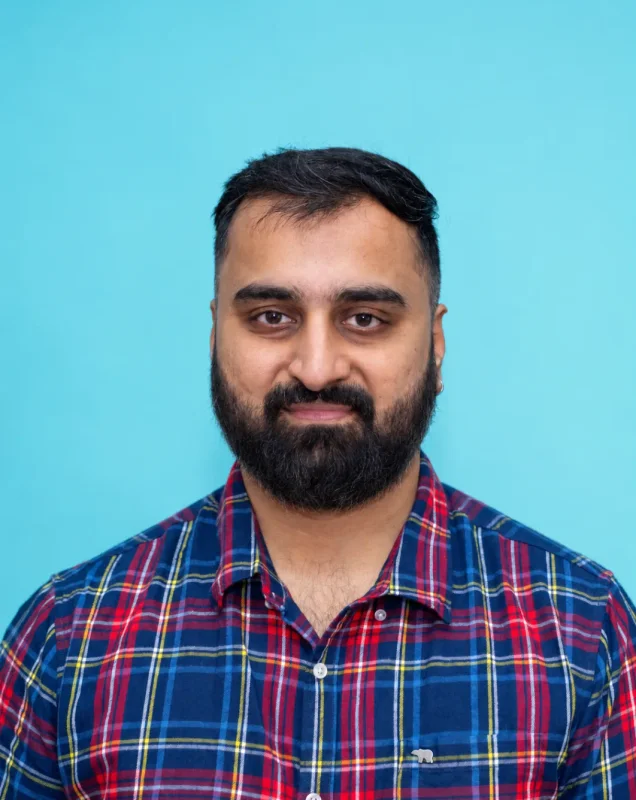
Take a portrait of a founder shot on a phone, the kind of frame that ends up on a company's about page. In the free tier the sky swap is convincing and the skin is clean. The export comes back at 1080 pixels on the long edge. On a phone it is perfect. On the about page, next to a paragraph of body text, it is mush, and the client will blame the photographer, not the app.
What free actually means on Android
Most "free" AI editors on Android are either ad-supported or they upload your photo to a server. Those are two very different costs, and the app store listing usually blurs them.
On-device processing means the pixels stay in the phone. It is slower, the models are smaller, and the results are more modest, but nothing leaves the handset. Cloud processing means your photo goes up the wire, gets worked on somewhere, and comes back. Servers cost money, which is why the free tier has to be paid for in some other currency.
Check this before anything else. Open the permissions, look for network access, and read the privacy note. If the app cannot explain where the processing happens, assume it happens on a server.
That is not automatically a scandal. It is a fact you should know before you feed it a photograph you care about.
One test settles it in under a minute. Put the phone in airplane mode, open the app, and run the same edit. If the feature works, the model is on the device. If it stalls or throws an error, the app needs the network, and your photo is going somewhere.
The app that edits well and exports small
Do the same edit twice and let the export file make the argument. Take one frame. Apply the same background clean-up or sky replacement in the free tier, then in the paid tier. The edit looks the same. Files do not.
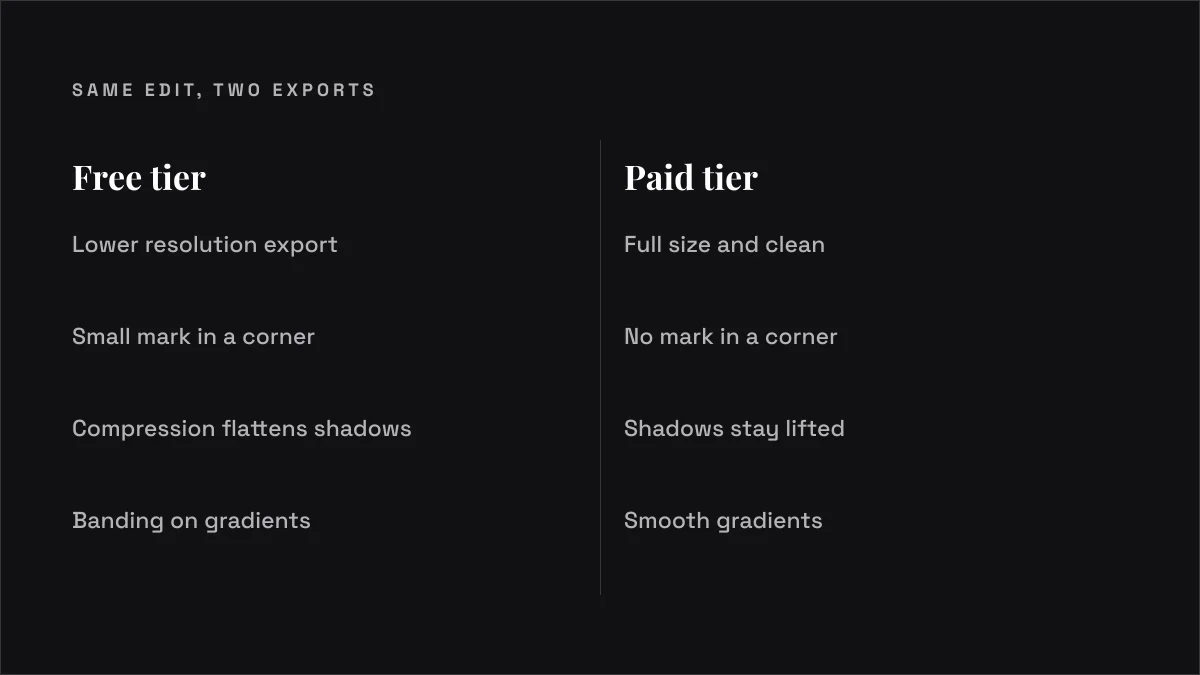
The free export comes back at a lower resolution, often with a small mark in a corner, sometimes with a compression that flattens the shadows you spent time lifting. The paid export is full size and clean.
Nothing in the interface tells you this clearly. You find it when the file reaches the client and they ask why it looks soft on a laptop.
Run the test on a frame with a gradient in it, a sky or a plain studio wall. Compression damage shows up there first, as banding and blocky steps where the gradient should be smooth. A busy frame hides it. A clean wall confesses.
The edit is not the product. The export is. Once you see that, the pricing page makes sense, and so does the free tier's whole design.
When the free tier is genuinely enough
For social cut-downs, quick client previews and internal clips, a free tier is the right tool. I mean that.
If the image is going out at 1080 pixels wide, on a phone, for a story that lives for a day, nobody will see the difference between a clean full-size export and a compressed free one. Paying a subscription for that export is money doing nothing. The free tier earns its place at the bottom of the chain. The mistake is using it at the top.
Three cases where it holds up without argument.
A preview to the client before the paid pass. A free export is enough to show the direction, the sky, the crop. The client says yes or no, and the final file is made properly afterwards.
A story frame that dies in twenty-four hours. Resolution is irrelevant when the image is gone by tomorrow.
A frame for a slide deck that will be shown on a projector and never printed. Nobody in that room is counting pixels.
The moment the same frame is headed for a print run, a billboard, or a website hero, the free tier is the wrong tool and the paid export is the cheap part of the job.
The photo that should never go to a free server
The real risk is not a bad edit. It is what leaves the phone. An unreleased product under wraps. Identity documents. Medical images. Anything a client has asked you to keep confidential.
A free app that uploads for processing is taking that file somewhere you cannot see, under terms you did not negotiate. Your image may be kept, analysed or used to improve a model, and the app's privacy note is the only thing telling you which.
Who decides? Not me. The client's legal team decides what can leave the building, and their answer should be the one that counts. If a file is under NDA, the safe assumption is that it does not go to a free server, full stop, and the question of whether the edit is good becomes irrelevant.
The cases that catch people are never the obvious ones. A product launch frame shot under embargo, where the embargo is on the product and not the photo, and the photo goes to a free editor because it is "only a clean-up". A hospital's patient image, sent for a quick background blur. A signed contract photographed as a reference. None of these feel like a data decision at the time. All of them are.
The checklist before you tap install
Five minutes of checking saves a re-shoot. Run this before you commit a real job to a free editor.
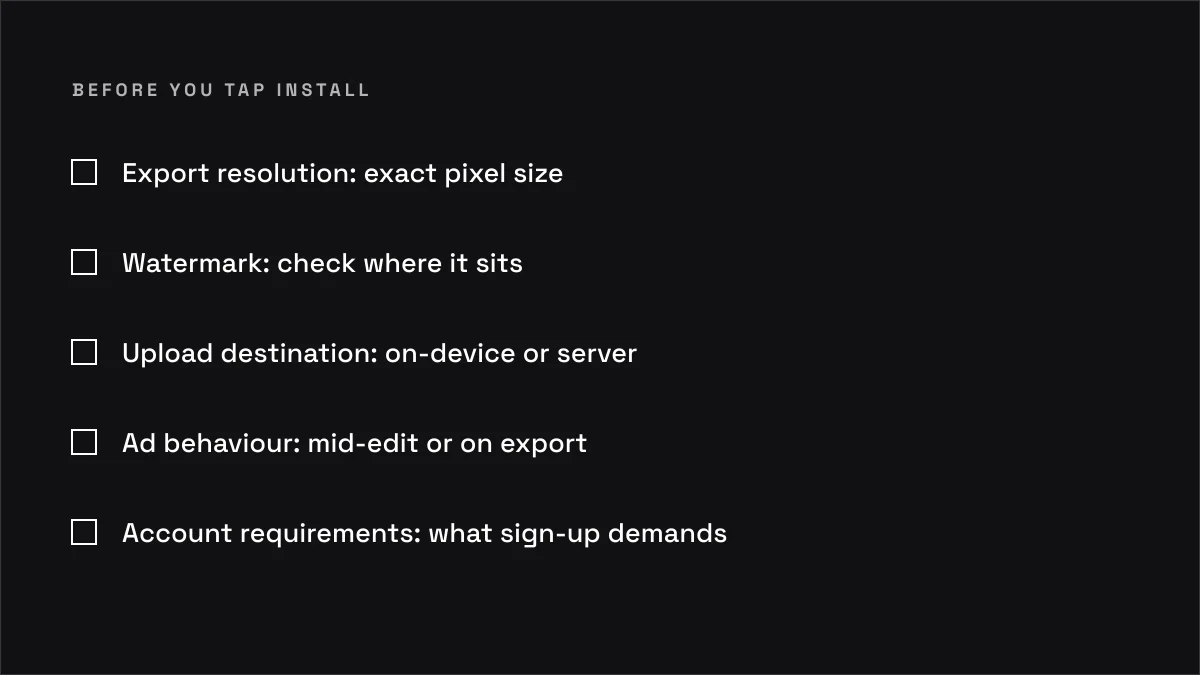
Export resolution. Find the exact pixel size the free tier gives you. If it is not stated, assume it is smaller than you need.
Watermark. Check whether the free export carries a mark, and where it sits on the frame. A corner mark that lands on a face ruins the shot.
Upload destination. Read the privacy note and confirm whether processing is on-device or on a server. If it is unclear, treat it as a server. An airplane-mode test settles it.
Ad behaviour. Note whether ads appear mid-edit, on export, or as full-screen interruptions. An ad on export is a tell about what the app values.
Account requirements. Check what sign-up demands: an email, a phone number, access to your photo library. Every item you hand over is part of the price.
Gradient test. Run one edit on a sky or a plain wall and look for banding in the free export. If the gradient breaks, the compression will break a client's shadow detail too.
If any of those answers is unclear, the honest move is to use the app on a test frame and nothing else.
Common questions
How do I AI edit photos for free without losing quality?
Keep the edit small and the source large. Use the free tier for a rough pass, then do the final export in a paid tool or on the desktop. The free tier is good at the idea and cheap at the delivery.
What is the best free AI editing app for Android?
The one that tells you where it processes your photo. Beyond that, the choice depends on whether you need on-device speed or cloud quality, and those pull in opposite directions.
Do free AI editing apps upload my photos?
Many do. Some do not. The privacy note is the only place that answers it, and a vague note is an answer in itself.
Can I use free AI editing for client work?
For previews, yes. For final delivery, check the resolution and the watermark first, and let the client's legal team rule on anything under NDA.
Is a free AI editor enough for social media?
Usually. A cut-down that lives on a phone screen does not need a full-size export. Paying for one is often wasted money.
So the question is not whether free is good enough. It is what the app keeps, and whether you would have agreed to that if the export line had been the first thing on the page.